
Credentials for Virgin Media in outlook
Can't access Virgin Media email in outlook?
- Use the Email App Password:
- If you are using an email client (like Outlook or Apple Mail), you need to generate a separate app password.
- Sign in to My Virgin Media, navigate to Account settings and create a new app password.
- Enter the following manually into say Microsoft outlook:
Incoming mail (IMAP): imap.virginmedia.com
Port: 993
Encryption: SSL/TLS
Outgoing mail (SMTP): smtp.virginmedia.com
Port: 465
Encryption: SSL/TLS
Authentication: Required (use your full email and app password). - The key is your app password which is not your account password.
- How to generate or find your app password
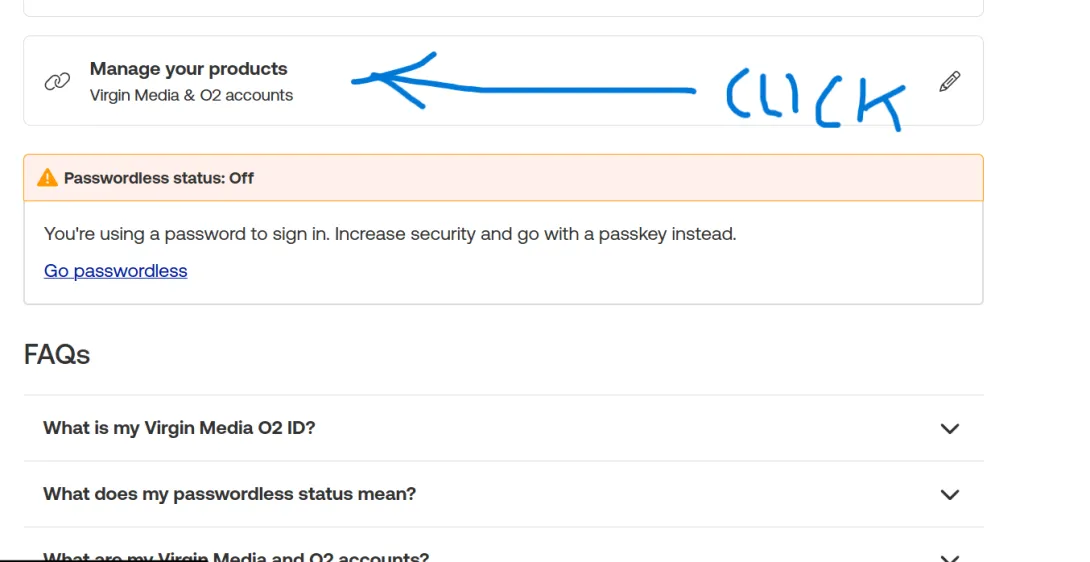
- On your virgin media site go to ID settings >manage online account settings
- Click on app password. See below image
- Click Get new password
- Cut and pass this password that is generated into outlook
- Complete outlook set up
- Stop going round in cycles with using your account email password
- Job done
Manage linked accounts in Virgin Media
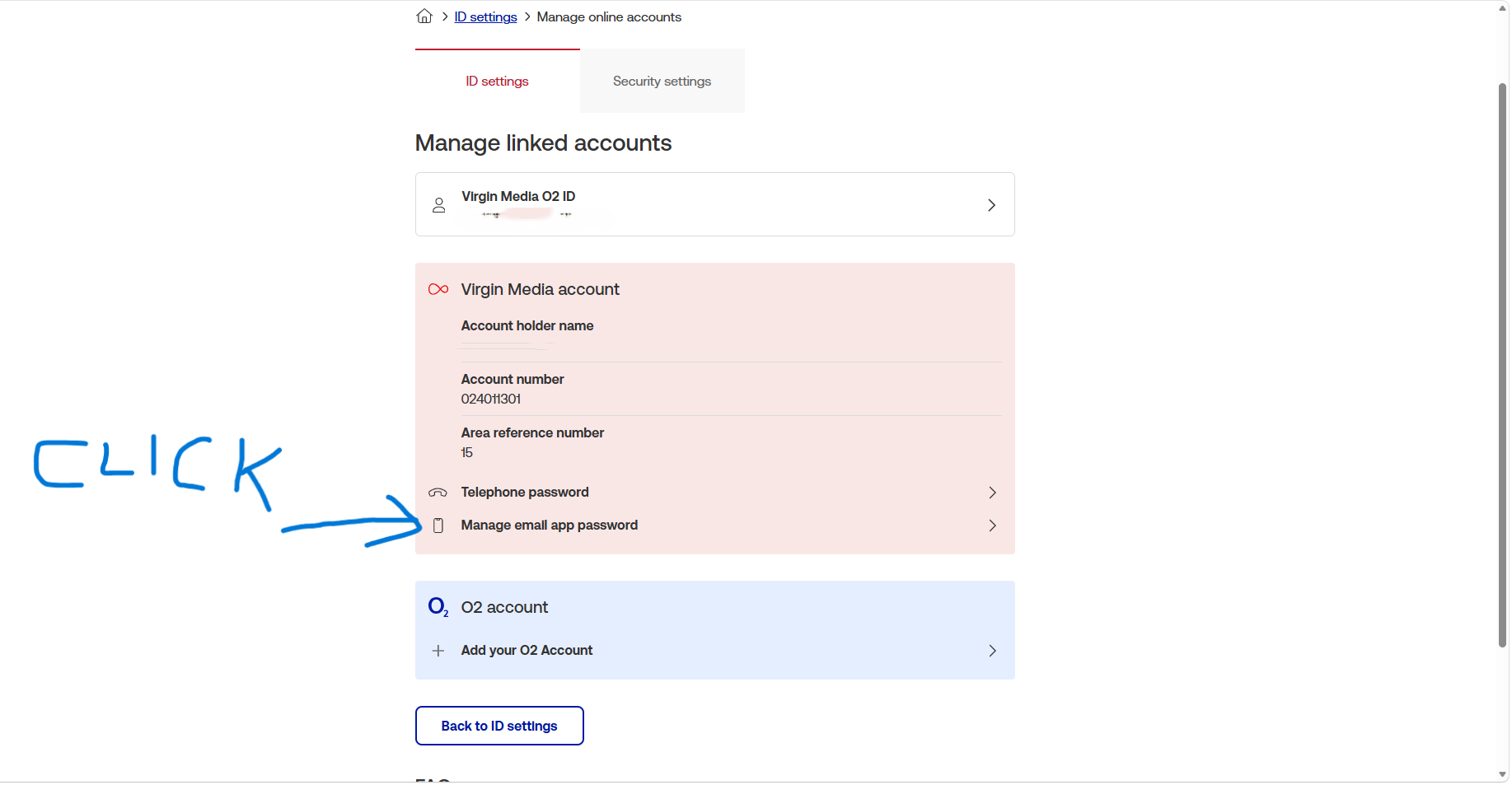
From Virgin Media
Use the specific password when signing in to your email using third party apps, like Outlook or Gmail. Reasons given to be safe and secure.
From virgin media ###This email app password is separate from the password used for Virgin Media O2 ID and from the details used to sign in to Virgin Media Mail through the website###
Comments